
Wed. Jan 28th, 2026

A .dd file is a special backup file.
It is a full copy of a storage device.

This storage device can be:

  • Hard drive

  • SSD

  • USB drive

  • Memory card

A .dd file copies everything, bit by bit.
Because of this, it is also called a data backup or image file.

Windows cannot open .dd files by default.

If you are looking for the Brother QL-710W Printer Driver and how to install it, click here.

How Is a .dd File Created?

A .dd file is usually made by special tools.
These tools are used for backup or computer investigation.

Some tools that create .dd files are:

  • dd (Linux command)

  • FTK Imager

  • OSFClone / OSFMount

  • Guymager

A .dd file is not a normal file.
It contains:

  • Files and folders

  • Deleted files

  • Boot information

  • Hidden data

The size of a .dd file is usually same as the original drive size.

Why Windows Can’t Open .dd Files?

.dd files come from Linux and forensic tools.
Windows does not understand them easily.

Windows does not know:

  • Where the drive parts start

  • What file system is used

  • How to read the raw data

Because of this, Windows needs special software to open .dd files.

How to Open a .dd File in Window

You can use a free tool called OSFMount.
This tool helps Windows read .dd files.

OSFMount can also open:

  • .vhd

  • .vmdk

  • Other disk image files

Steps to Open .dd File Using OSFMount

Step 1

Download OSFMount using the link below this article.
Double-click the file and install it.

Step 2

Open OSFMount after installation.

Step 3

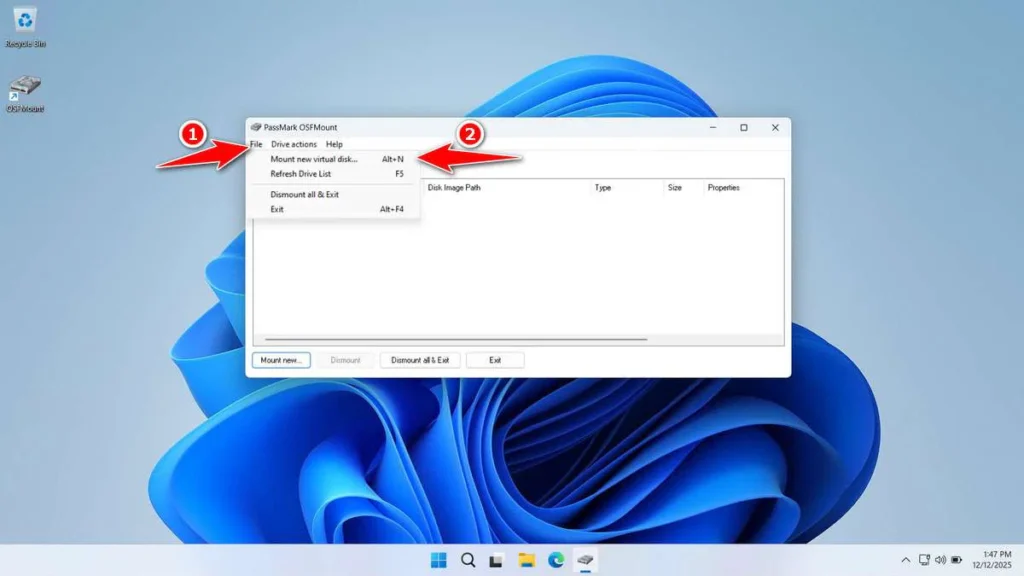
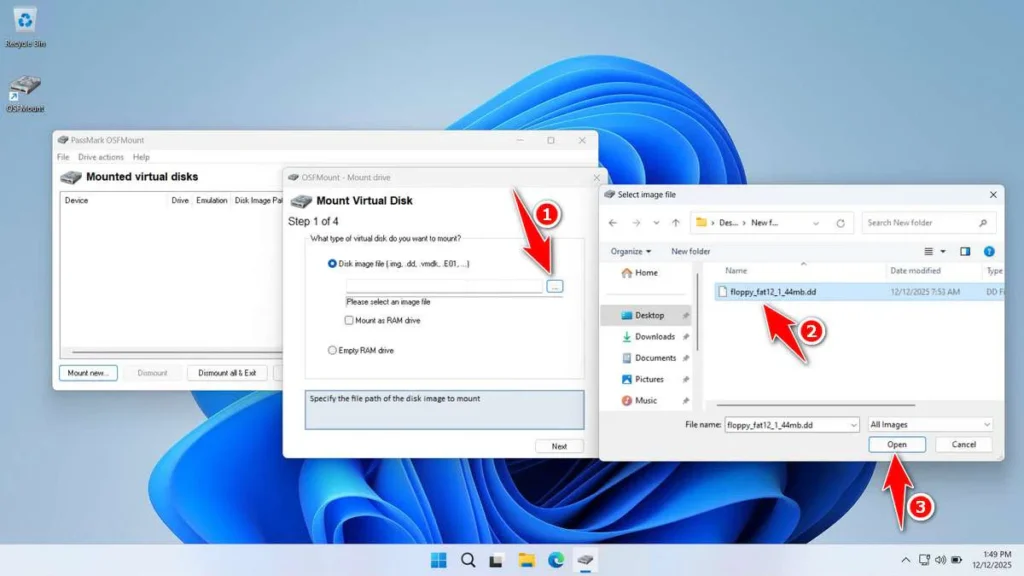
Click File, then choose Mount new virtual disk.

Step 4

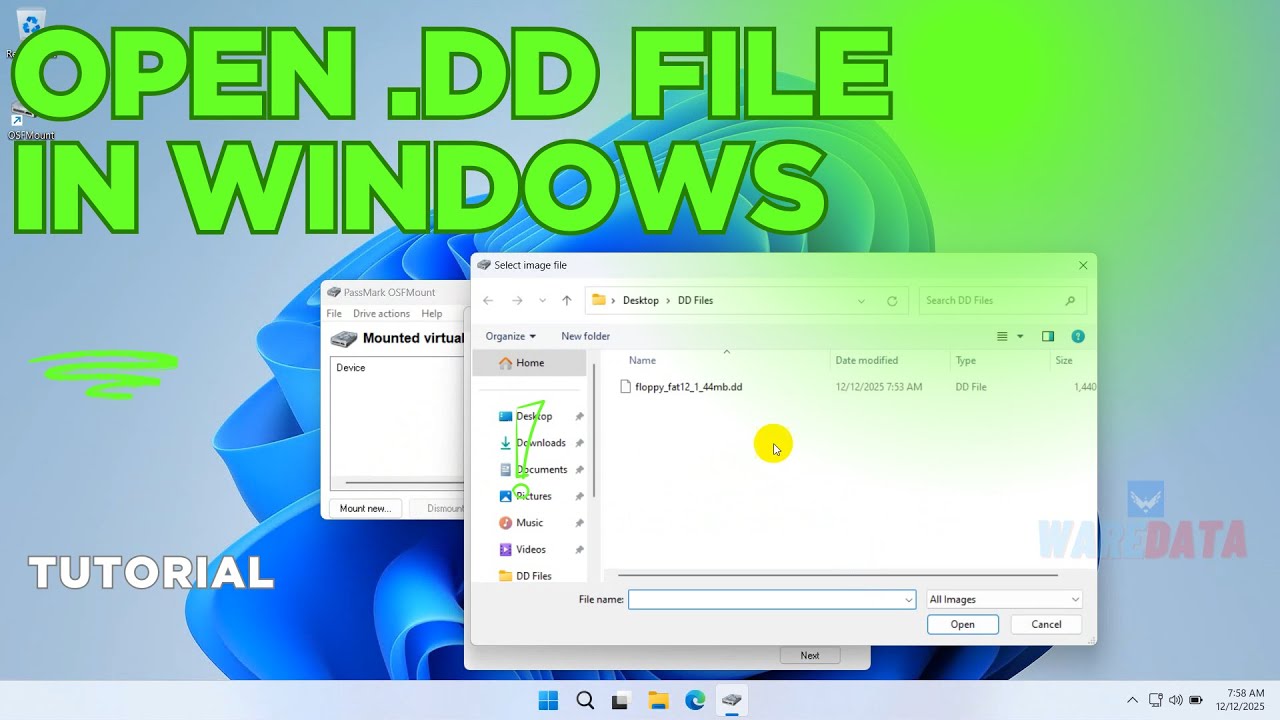
Find your .dd file, then click Open.

Step 5

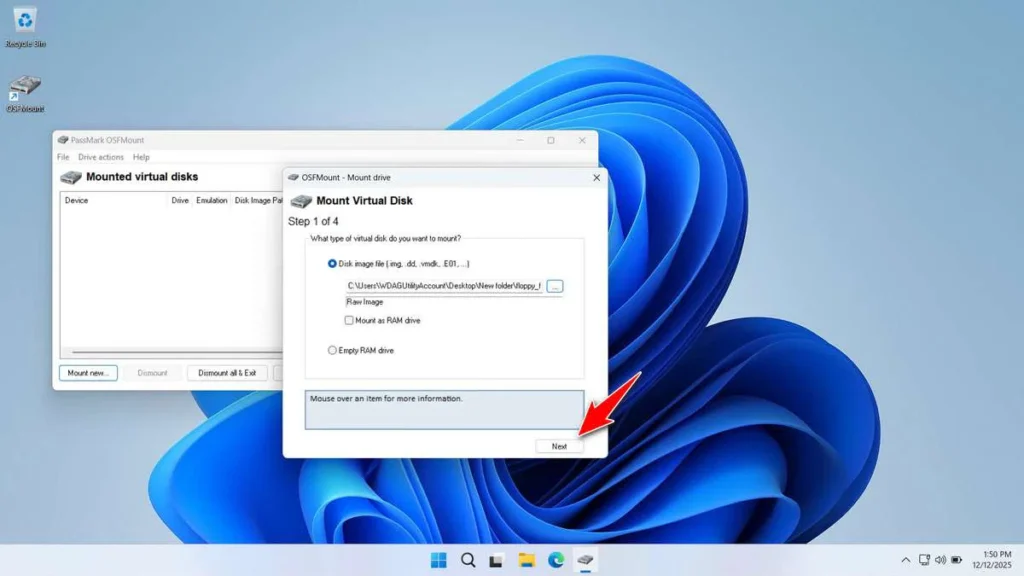
Click Next.

Step 6

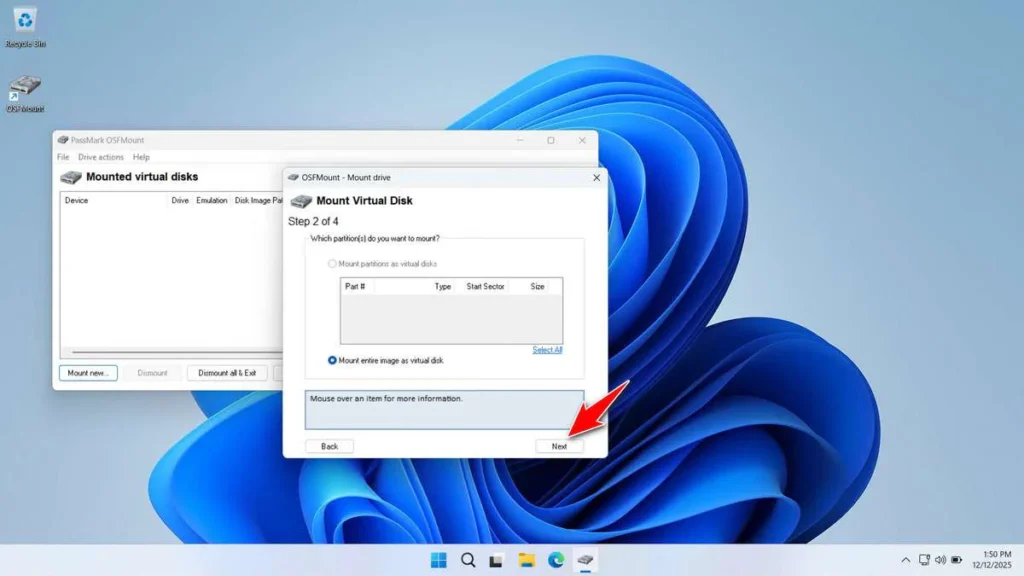
Click Next again.

Step 7

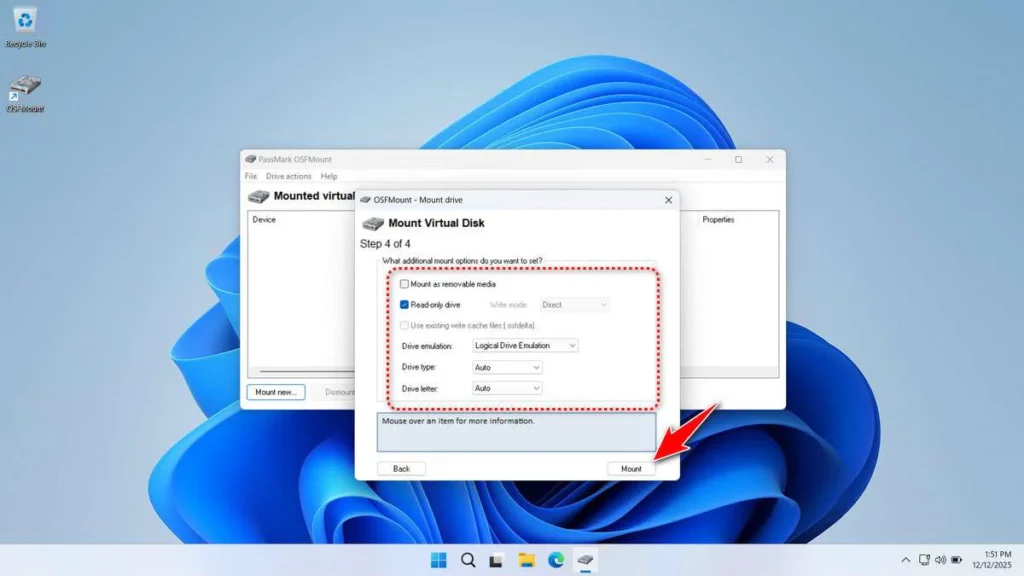
Leave the settings as they are.
Click Mount.

Step 8

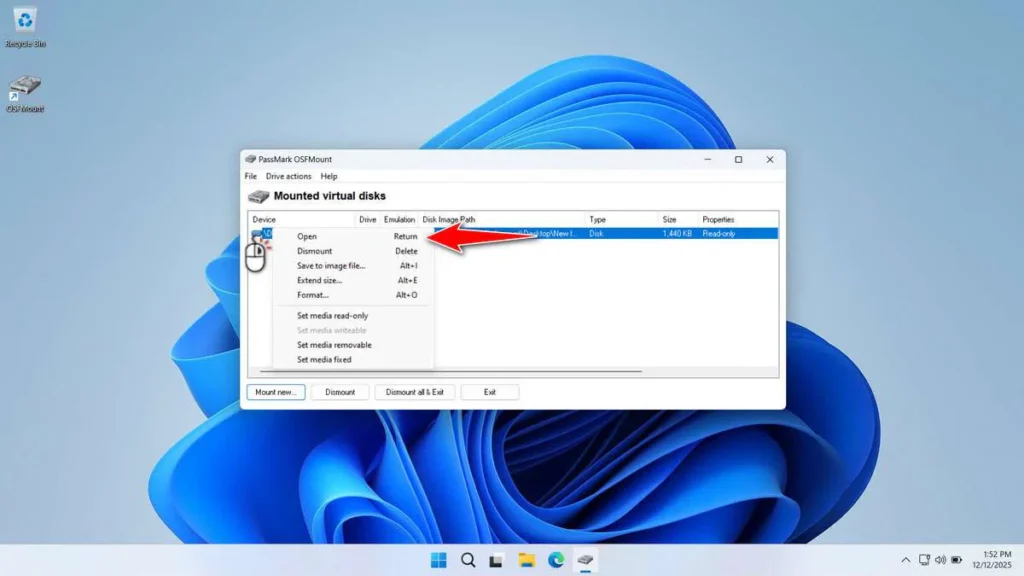
Right-click the mounted file and click Open.

Step 9

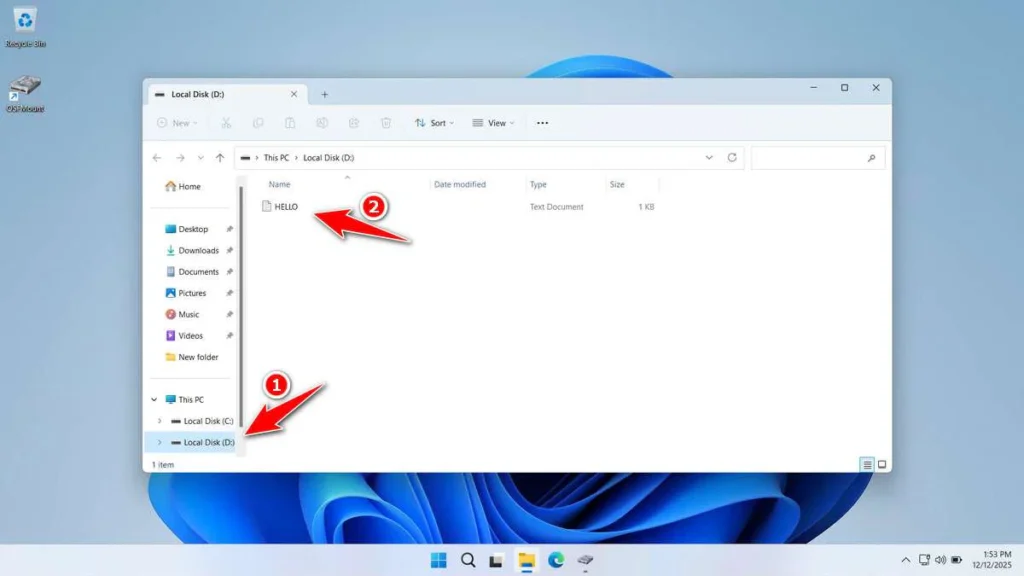
You will now see a new drive in Windows.
You can open it and view the files inside the .dd file.

Video Guide

If this feels confusing, you can watch a video tutorial.
The video shows each step clearly.

Download OSFMount

If you have a .dd backup file and cannot open it,
OSFMount is a good tool to try.

It is:

  • Free

  • Small in size

  • Easy to use

File Details

  • File Size: 15.2 MB

  • File Type: .EXE

  • Supports: Windows 11 / 10 / 8 / 7 / Server

Maybe you would like other interesting articles?

GTA vi release date

Grand Theft Auto VI, also called GTA VI, is one of the most awaited games in the world. Fans have been waiting for many years.

Read More »

Leave a Reply

Your email address will not be published. Required fields are marked *